

Have you ever applied for dozens of jobs but received little or no response?
Many job seekers assume their resume isn't strong enough. However, the real issue may be that it never reached a recruiter in the first place.
Today, many employers use an Applicant Tracking System (ATS) to manage job applications. Before a recruiter reviews your resume, it is often scanned and organized by ATS software.
Understanding how ATS works—and how to optimize your resume for it—can significantly improve your chances of landing interviews.
In this guide, we'll explain what ATS is, how employers use it, and practical strategies to help your resume stand out.

An Applicant Tracking System (ATS) is recruitment software that helps organizations manage the hiring process more efficiently.
Rather than manually reviewing hundreds or even thousands of resumes, recruiters use ATS to organize candidate information and quickly identify applicants who match the requirements of a specific role.
An ATS can:
Collect and organize applications
Store candidate profiles
Search resumes using keywords
Filter applicants based on qualifications
Track candidates throughout the hiring process
Today, ATS platforms are used by businesses of all sizes—from startups and SMEs to multinational corporations.
Hiring managers often receive hundreds of applications for a single position. Reviewing every application manually would be both time-consuming and inefficient.
An ATS helps employers by:
Streamlining the recruitment process
Organizing candidate information
Identifying applicants with relevant skills
Improving collaboration between recruiters and hiring managers
Reducing administrative workload
Rather than replacing recruiters, ATS allows them to spend more time evaluating qualified candidates instead of sorting through large volumes of applications.
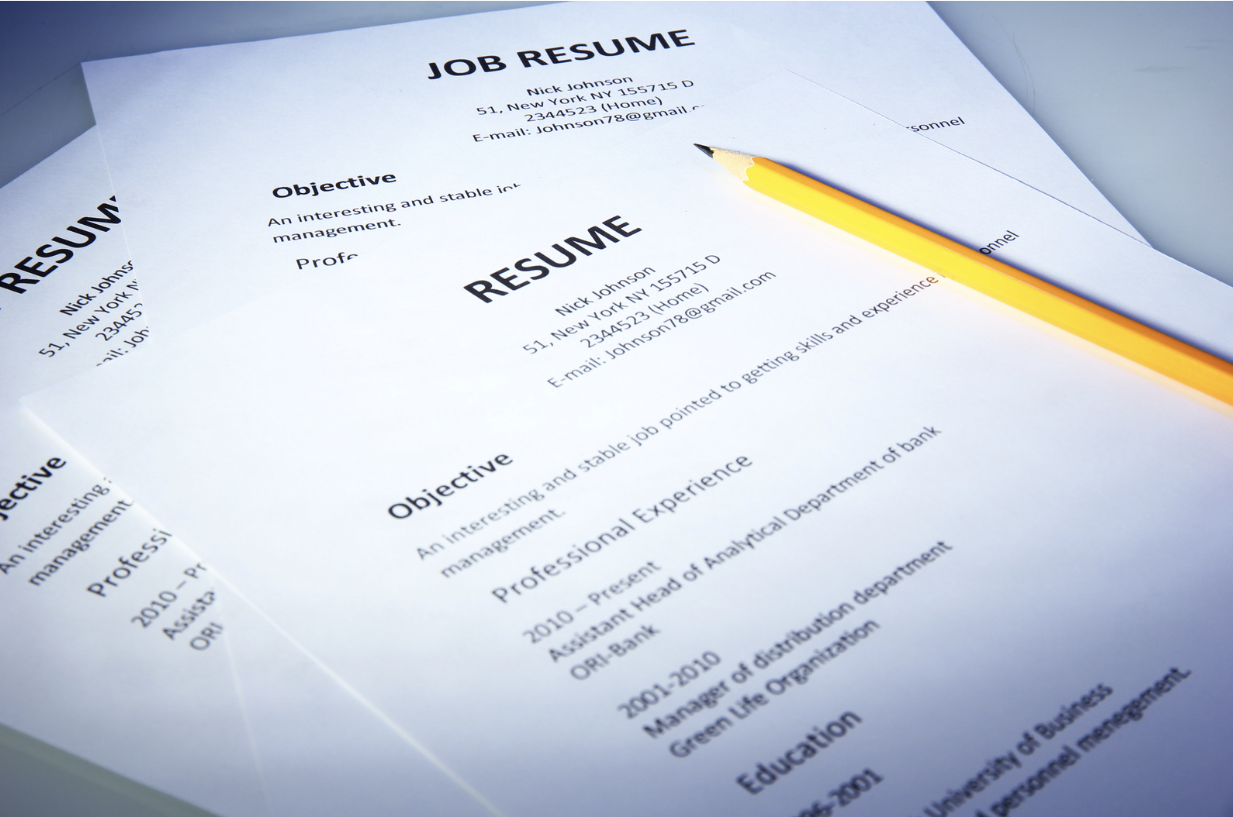
When you submit your resume, ATS scans the document and extracts important information, including:
Contact details
Professional experience
Education
Skills
Certifications
Relevant keywords
The system then indexes this information, allowing recruiters to search for candidates based on specific qualifications.
For example, if an employer is hiring a Digital Marketing Manager, recruiters may search for terms such as:
SEO
Google Analytics
PPC
Content Marketing
Meta Ads
Email Marketing
If these skills genuinely reflect your experience and are included naturally in your resume, you're more likely to appear in recruiter search results.

There are many misunderstandings surrounding Applicant Tracking Systems. Let's clarify a few of the most common ones.
This is one of the biggest misconceptions.
An ATS doesn't "reject" resumes simply because they aren't perfect. Instead, it organizes applications and helps recruiters search for candidates based on relevant qualifications.
The final hiring decisions are still made by people.
Some candidates believe repeating keywords multiple times will improve their ranking.
In reality, modern ATS platforms are designed to recognize relevant and naturally written content.
The goal should be to include appropriate keywords that accurately reflect your skills and experience—not to overload your resume with repetitive terms.
Most modern Applicant Tracking Systems can successfully process PDF documents.
However, some employers still request Microsoft Word (.DOCX) files. Always follow the file format specified in the job posting.
While visually appealing resumes may impress recruiters, overly complex layouts can sometimes make information harder for ATS software to interpret.
Graphics, icons, text boxes, and multiple-column layouts may not always be read correctly.
A clean, professional design generally provides the best balance between ATS compatibility and readability.

Avoid sending the same resume to every employer.
Instead, customize your resume to reflect the skills and qualifications listed in each job description.
Use commonly recognized section titles such as:
Professional Summary
Work Experience
Education
Skills
Certifications
These headings help ATS software correctly categorize your information.
Choose a professional layout with:
Standard fonts
Clear headings
Bullet points
Consistent spacing
Avoid excessive graphics, decorative elements, and complicated formatting.
Review the job description carefully and incorporate relevant skills throughout your resume where appropriate.
Examples include:
Project Management
SQL
Salesforce
Customer Success
Data Analysis
Python
Focus on authenticity rather than keyword repetition.
Recruiters value measurable results.
Instead of writing:
Managed marketing campaigns.
Consider:
Managed digital marketing campaigns that increased website traffic by 45% within six months.
Specific achievements demonstrate your impact far more effectively.

Start bullet points with impactful action verbs such as:
Led
Developed
Implemented
Optimized
Delivered
Increased
These words communicate ownership and accomplishment.
Highlight achievements and experiences that directly relate to the position you're applying for.
Quality and relevance are more valuable than quantity.
Keep important information as editable text rather than embedding it inside graphics or images.
This helps ensure ATS software can accurately process your resume.
Where appropriate, include both the full term and abbreviation.
Example:
Project Management Professional (PMP)
This improves searchability regardless of which version recruiters use.
Simple spelling or grammatical errors can prevent important keywords from matching recruiter searches.
Always review your resume carefully before submitting it.
Although ATS helps organize applications, recruiters are ultimately looking for candidates who clearly demonstrate value.
An effective resume should communicate:
Relevant experience
Measurable accomplishments
Industry-specific skills
Strong communication
Professional presentation
The most successful resumes are written for both technology and people.
Creating an ATS-friendly resume doesn't have to be complicated.
Many job seekers struggle with:
Choosing the right keywords
Writing compelling achievement statements
Tailoring resumes for different roles
Presenting their experience professionally
AI can simplify this process while helping you present your experience more effectively.

Instead of guessing what recruiters want, let AI guide you through the process.
With the Jobcadu AI Resume Builder, you can:
✅ Create professional, ATS-friendly resumes in minutes
✅ Receive AI-powered suggestions to improve your resume content
✅ Highlight your achievements with impactful language
✅ Customize your resume for different job applications
✅ Build a polished, professional resume without any design experience
Whether you're a recent graduate, an experienced professional, or planning your next career move, Jobcadu helps you create a resume that reflects your strengths and improves your chances of getting noticed.
An Applicant Tracking System isn't an obstacle—it's simply part of today's recruitment process.
The goal isn't to "beat" the ATS, but to create a resume that's well-structured, relevant, and easy for both software and recruiters to understand.
By using clear formatting, incorporating relevant keywords naturally, and highlighting measurable achievements, you'll greatly improve your chances of progressing to the interview stage.
Stop wondering whether your resume will make it through the first screening.
With the Jobcadu AI Resume Builder, you can create a professional, ATS-friendly resume in minutes using AI-powered writing assistance, modern templates, and personalized content recommendations.
Start building your job-winning resume today at www.jobcadu.com
No sections detected in this article.
Master the skills mentioned in this article with our top-rated courses.


.jpg&w=3840&q=75)